
How to add an Xtream Codes playlist
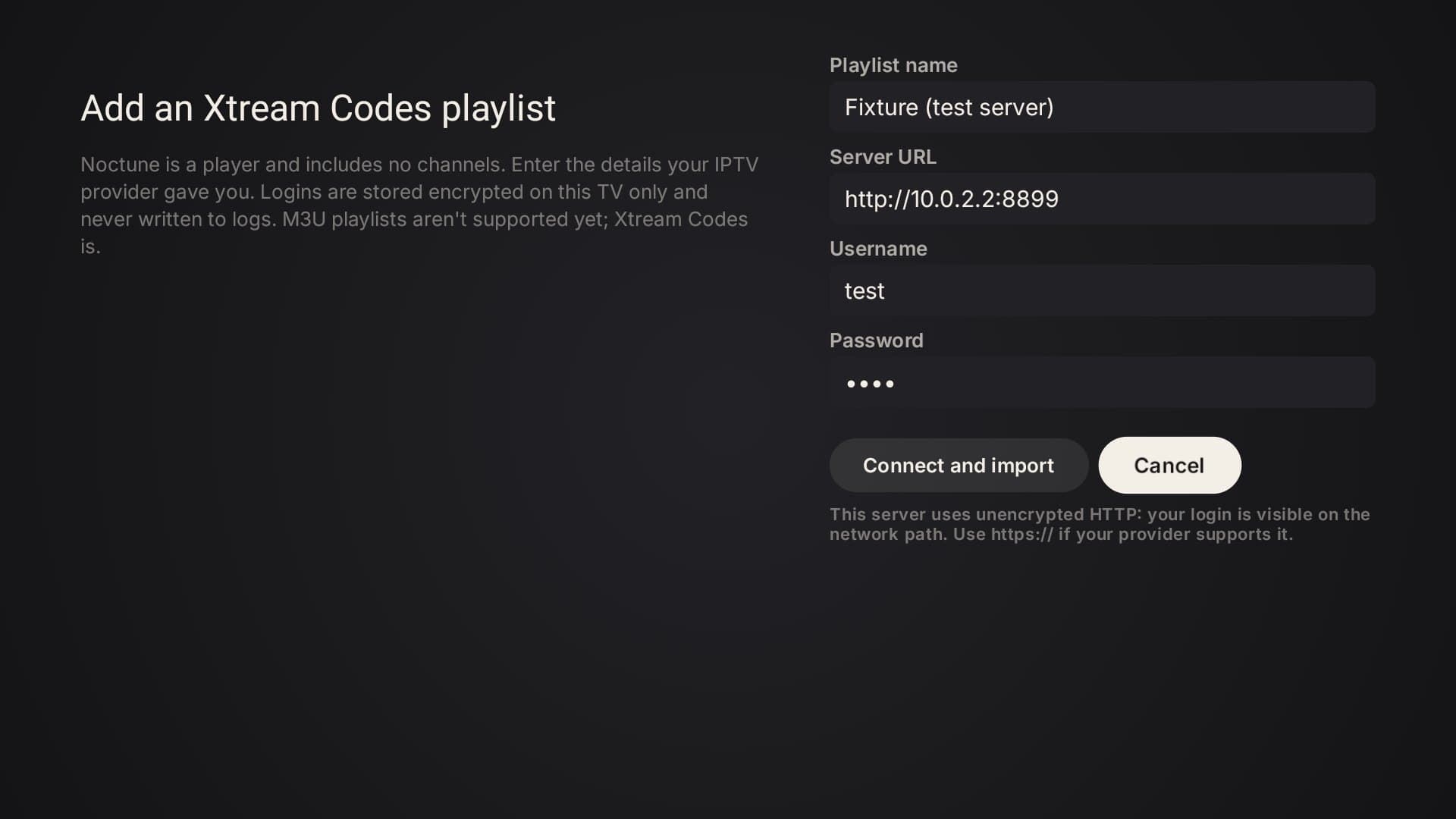
Noctune plays the playlist your IPTV provider gives you. Today that means an Xtream Codes account: a server address, a username and a password. M3U playlists aren't supported yet.
Updated 26 October 2026
What you need from your provider
- Server URL, for example
http://provider.example:8080. Usehttps://if your provider supports it. - Username and password for that server.
If your provider only gave you an M3U link, ask them for the Xtream Codes details of the same account; many providers offer both.
Add it
- On first launch Noctune opens the playlist screen directly. Later, use Settings → Playlists → Add playlist.
- Enter the server URL, username and password, and optionally a name to recognise it by.
- Choose Connect and import.
Noctune then:
- checks the fields (problems are shown next to the field);
- signs in to your provider. If that fails, nothing is saved;
- warns you if the same server and username are already added, and offers to update that playlist instead;
- saves the playlist and imports live channels, categories, movies and TV shows, showing each step. You can let the import continue in the background;
- shows a summary with the number of channels, movies and shows.
Then open Live TV, Movies or TV Shows. The programme guide loads per channel when you browse (see how the guide works).
Where your login is stored
Your provider details are stored encrypted on the TV using Android's keystore and are never sent to Noctune. They're removed from logs and diagnostics and aren't included in backups. If the server address starts with http://, Noctune tells you the login travels unencrypted between the TV and your provider.
Sign-in messages
- "The provider rejected the username or password."
- Check the details with your provider, including capital letters and spaces.
- "Your provider account has expired."
- The account needs renewing with your provider.
- "Server address is not valid"
- Include the full address, usually with
http://orhttps://and a port number. - "Could not reach the provider server."
- The server didn't answer. Check the TV's internet connection and the address; the provider's server may also be down.
More than one playlist
Noctune Free plays one playlist. Multiple playlists are part of Premium, which isn't on sale yet. See managing playlists and pricing.